
With the launch of the highly anticipated Binance Alpha Box on February 11, 2026, millions of users have flooded the Binance App to claim their share of the $750M airdrop pool. However, the sheer volume of traffic has triggered a frustrating message for many: “Network Busy. Please try again later.”
If you are stuck staring at a loading screen while your Alpha Points are expiring, you aren’t alone. In this guide, we will look at why this is happening and the three specific fixes to bypass the congestion.
Why am I seeing the “Network Busy” Error?
The Alpha Box uses a unique “decreasing threshold” mechanism. Every 5 minutes, the required points to claim a reward drop by 5. This causes massive spikes in server requests every 5 minutes (e.g., at 18:05, 18:10, 18:15 UTC).
The error usually appears during:
- Alpha Box Redemption: When trying to spend your 15 Alpha Points.
- Point Claims: When the daily snapshot fails to refresh your balance.
- Withdrawals: Moving Alpha tokens to your Spot or Web3 wallet.
How to Fix Binance Alpha “Network Busy” Errors
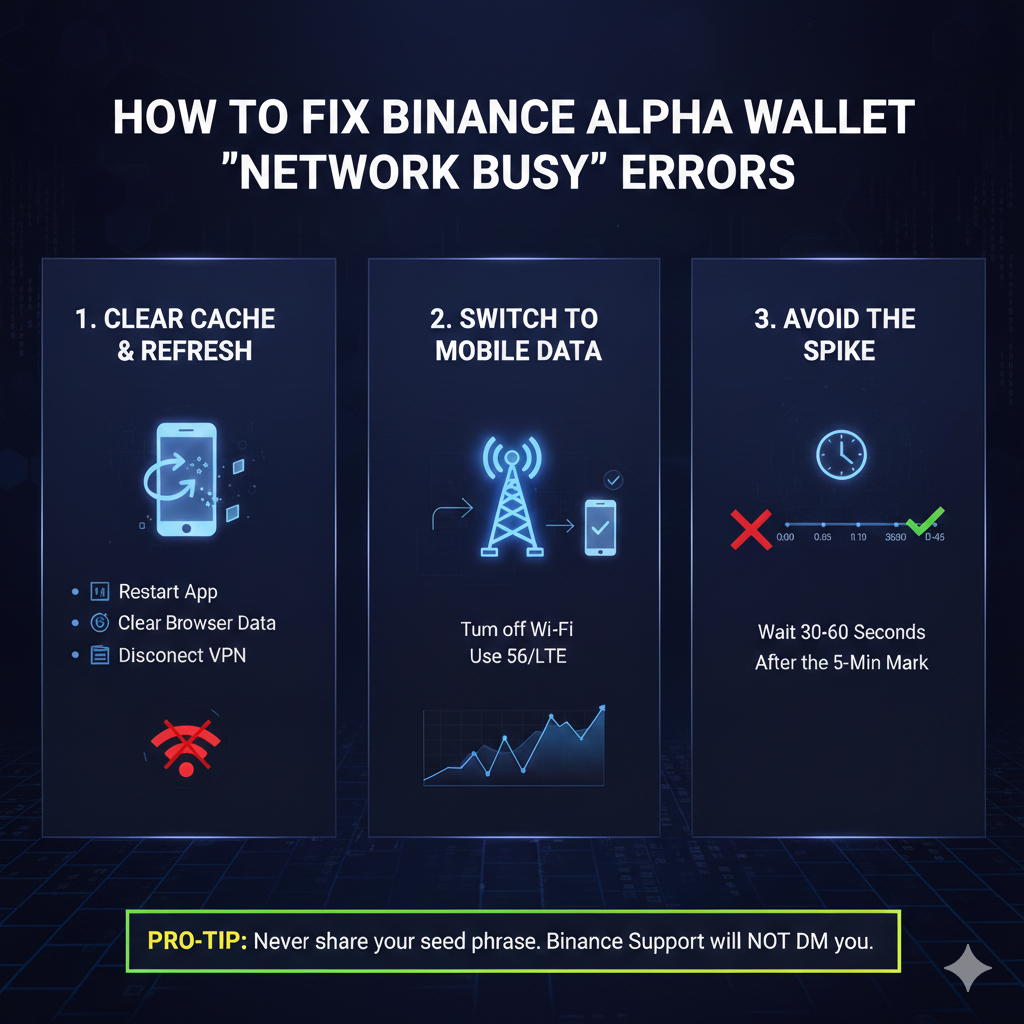
Fix 1: The “Hard Refresh” & Cache Clear
Most “Network Busy” errors are actually cached browser or app data.
- On Android/iOS: Go to Settings > Apps > Binance > Clear Cache. Do NOT clear data, just the cache. Restart the app and navigate back to the Alpha Events page.
- On Web3 Wallet: If using the Binance Web3 Wallet extension, go to your browser settings and clear “Cookies and Site Data” for
binance.com.
Fix 2: Switch from Wi-Fi to Cellular Data (The IP Fix)
Binance’s anti-spam filters often flag public or shared Wi-Fi IPs during high-traffic events.
- The Action: Turn off your Wi-Fi and switch to 5G/LTE.
- Why it works: This gives you a fresh, unique IP address, often bypassing the “Network Busy” rate limit set on your home or office router.
Fix 3: Avoid the “Snapshot Spike”
If you are trying to claim your Alpha Box exactly when the point threshold drops (e.g., exactly at 18:20:00), the servers will be overloaded.
- The Strategy: Wait for 30 to 60 seconds after the 5-minute mark. While the pool is first-come-first-served, the “Network Busy” error is most aggressive in the first 10 seconds of each threshold drop.
Common Binance Alpha Issues & Quick Solutions
| Issue | Solution |
| Alpha Points not showing | Points take 1-2 days to reflect after a trade. Check if you used an imported wallet (imported wallets do not count toward Alpha volume). |
| “Withdrawal Suspended” | If you recently changed your password or 2FA, Binance locks Alpha withdrawals for 24–48 hours for security. |
| “Address Not Valid” | Alpha tokens must be sent to a compatible Polygon or BSC address. Ensure your destination wallet supports the specific Alpha project token. |
Important: Don’t Lose Your Alpha Points!
Remember that Binance Alpha Points operate on a rolling 15-day cycle. If you keep getting the “Network Busy” error and wait too long, your oldest points will expire and vanish.
If none of the above fixes work, try accessing the Alpha Events page via the Binance Desktop app instead of the mobile app; it often uses a different server route that is less congested.
Raja’s Pro-Tip: Never share your seed phrase with anyone claiming to “help” you fix your wallet errors on X (Twitter) or Telegram. Binance Support will never DM you first.